As an Amazon Associate, I can earn from qualifying purchases. Learn more.
Small businesses need security cameras that capture useful details, store footage reliably, and cover important locations such as entrances, checkout counters, offices, stockrooms, and parking areas. A well-planned system can also help owners monitor operations remotely and review recorded evidence after an incident.
The right setup depends on the property and installation options. PoE systems are generally better for dependable 24/7 recording, while Wi-Fi and battery-powered cameras are easier to install. Based on manufacturer specifications, these seven options suit different business sizes, budgets, and storage requirements.
Best Security Cameras for Small Businesses Compared
| Product | Resolution | System type | Storage | Best for |
|---|---|---|---|---|
| Reolink RLK8-800D4 | 4K | 4-camera PoE system | 2TB NVR | Best overall |
| Lorex N4K2SD-88WD-4 | 4K | 8-camera Fusion system | 2TB NVR | Larger properties |
| ANNKE H800 | 4K | 4-camera PoE system | Local NVR | Budget PoE setup |
| Swann AdvancedX | 4K | 4-camera PoE system | Local NVR | Active deterrence |
| eufyCam E330 Professional | 4K | Plug-in Wi-Fi system | HomeBase 3 | Easier installation |
| Arlo Pro 6 | 2K | Battery Wi-Fi cameras | Cloud/SmartHub | Wire-free placement |
| Ring Outdoor Cam Pro | 4K | Wi-Fi camera | Cloud recording | Existing Ring users |
Package contents and hard-drive capacity can vary between listings. Confirm the camera count, recorder capacity, included storage, and power configuration before purchasing.
1. Reolink RLK8-800D4 – Best Overall
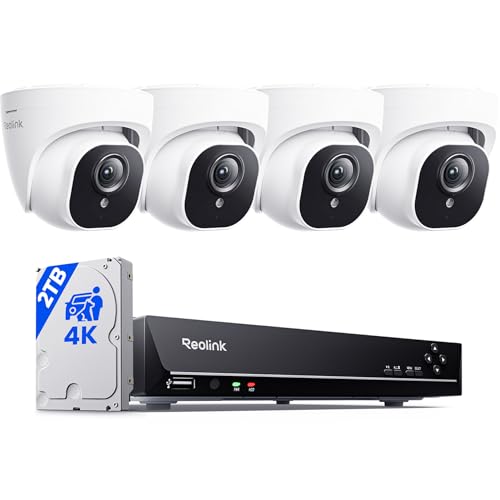
- 4K Ultra HD – Reolink 4K Ultra HD (8MP) PoE camera delivers almost 4 times the clarity of 1080p...
- Person/Vehicle/Animal Detection – Smart PoE IP cameras can identify people and vehicles in terms...
The Reolink RLK8-800D4 is a practical security system for small stores, offices, cafés, and workshops requiring continuous local recording. The package combines four 4K turret cameras with an eight-channel PoE NVR and a preinstalled 2TB hard drive.
A single Ethernet cable supplies power and transfers video from each camera, providing a more stable connection than relying entirely on business Wi-Fi. Person, vehicle, and animal detection can also make relevant footage easier to locate while reducing unnecessary alerts.
The recorder supports 24/7 recording and leaves four PoE channels available for additional compatible cameras. Its turret cameras are less conspicuous than large bullet cameras, although installation still requires running Ethernet cables.
Key features:
- Four 4K PoE turret cameras
- Eight-channel NVR
- Preinstalled 2TB hard drive
- Person, vehicle, and animal detection
- Continuous local recording
- Remote access through the Reolink app
Pros:
- Provides dependable wired recording
- Allows four more cameras to be added
- No mandatory storage subscription
Cons:
- Ethernet installation is required
- Cameras lack motorized pan and tilt
- Recorder should be secured against removal
Best for: Small businesses needing an expandable 4K system with continuous recording.
For a closer comparison with another established wired-camera brand, read our Reolink vs Lorex comparison
2. Lorex N4K2SD-88WD-4 – Best for Larger Properties

The Lorex N4K2SD-88WD-4 provides eight 4K dome cameras, making it suitable for warehouses, larger retail stores, offices, and properties with several entrances. Its Fusion NVR supports eight wired cameras and eight compatible Wi-Fi devices, providing coverage and expansion options.
The included smart-deterrence cameras support features such as warning lights and two-way audio. These can be useful around entrances, delivery areas, stockrooms, and parking spaces. Recordings are stored locally on the included 2TB hard drive, avoiding a mandatory cloud-storage subscription.
Although eight cameras provide extensive initial coverage, installing them requires considerable Ethernet cabling. The 2TB drive may also provide a shorter retention period when all eight cameras record continuously in 4K, so businesses should review their storage requirements.
Key features:
- Eight 4K wired dome cameras
- 16-camera Fusion capacity
- Preinstalled 2TB hard drive
- Smart-deterrence functions
- Two-way audio
- Continuous local recording
Pros:
- Covers eight areas immediately
- Supports wired and compatible Wi-Fi expansion
- Includes active-deterrence tools
Cons:
- Installation requires extensive cabling
- 2TB may be limited for eight-camera 4K recording
- Compatible Fusion devices must be checked carefully
Best for: Larger businesses requiring immediate eight-camera coverage and active deterrence.
You can find additional wired alternatives in our guide to the best 4K PoE security camera systems.
3. ANNKE H800 – Best Budget PoE System

- Accessible Two-Way Audio: Equipped with a built-in speaker and mic, this camera enables two-way...
- 3K Crystal-Clear HD Footage: Featuring a 3K CMOS image sensor and 2.8mm lens, this camera captures...
The ANNKE H800 offers a more affordable route to 4K PoE surveillance. A four-camera configuration can cover a small store, café, office, or workshop, while its eight-channel recorder provides space for compatible cameras to be added later.
Human and vehicle detection can reduce irrelevant alerts and make important recordings easier to locate. The cameras also include microphones, although businesses should review relevant workplace and state audio-recording laws before enabling audio.
The system supports continuous local recording and remote viewing. However, ANNKE sells different H800 packages, and hard-drive inclusion can vary. Check whether the selected package contains a preinstalled surveillance hard drive.
Key features:
- Four 8MP/4K PoE cameras
- Eight-channel NVR
- Human and vehicle detection
- H.265+ video compression
- Built-in microphones
- IP67-rated camera housings
Pros:
- Competitive cost for a 4K system
- Supports continuous recording
- Can be expanded later
Cons:
- Setup may challenge beginners
- Storage capacity varies by package
- No motorized subject tracking
Best for: Budget-conscious businesses that still require wired 4K recording.
Our ANNKE vs Reolink comparison provides a closer look at the differences between these two PoE-oriented brands.
4. Swann AdvancedX – Best for Active Deterrence
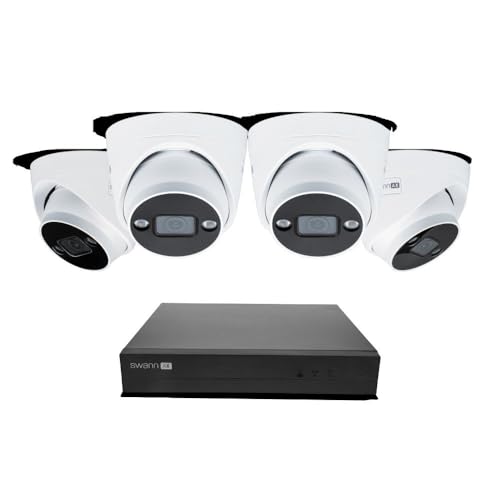
- Experience Exceptional 4K Clarity: Equipped with 4K (8MP) Ultra HD image sensors, enjoy clear video...
- Reliable 24/7 Wired Surveillance: Enjoy the simplicity of plug-in PoE cameras that draw power from a...
The Swann AdvancedX combines four 4K dome cameras with an eight-channel NVR. It supports continuous local recording and leaves four channels available for compatible cameras.
Its main advantage is the combination of surveillance and active-deterrence features. Depending on the exact kit, these may include spotlights, sirens, two-way audio, and color nighttime monitoring. Such features can be useful around storefronts, workshops, entrances, and delivery areas.
Swann offers similarly named packages with different camera styles and capabilities. Verify the full model number and included cameras rather than relying on the AdvancedX name alone.
Key features:
- Four 4K PoE dome cameras
- Eight-channel NVR
- Continuous local recording
- Person and vehicle detection
- Spotlight and siren functions
- Two-way audio
Pros:
- Combines recording with visible deterrence
- Allows future camera expansion
- Dome design suits customer-facing areas
Cons:
- Ethernet cabling is necessary
- Deterrence settings require configuration
- Features differ between Swann kits
Best for: Storefronts and workshops that need continuous recording and warning features.
5. eufyCam E330 Professional – Best Wi-Fi System With Local Storage

- 4K Clarity, Day and Night: Capture every detail in stunning 4K HD, day or night. With our...
- Cross-Camera Tracking with BionicMind: Experience swift and effortless event reviews with...
The eufyCam E330 Professional provides continuous 4K recording without requiring Ethernet cables for every camera. The cameras communicate through Wi-Fi but use plug-in power, avoiding the charging requirements and recording limitations commonly associated with battery cameras.
Footage is managed through HomeBase 3. Compatible internal storage can be installed to increase recording capacity. Cross-camera tracking can also organize related events when a person moves between different camera views.
Every location needs access to an electrical outlet and dependable Wi-Fi. The system may be easier to install than PoE, but it should not be described as completely wire-free.
Key features:
- 4K plug-in Wi-Fi cameras
- Continuous video recording
- HomeBase 3 local storage
- Expandable drive support
- Cross-camera tracking
- Two-way audio
Pros:
- Avoids Ethernet installation
- Supports continuous local recording
- No mandatory cloud-storage plan
Cons:
- Every camera needs an outlet
- Performance depends on Wi-Fi quality
- HomeBase placement requires planning
Best for: Offices and smaller stores where installing Ethernet cables would be difficult.
Businesses primarily interested in avoiding monthly storage fees can compare additional choices in our guide to the best security cameras without a subscription.
6. Arlo Pro 6 – Best Wire-Free Option
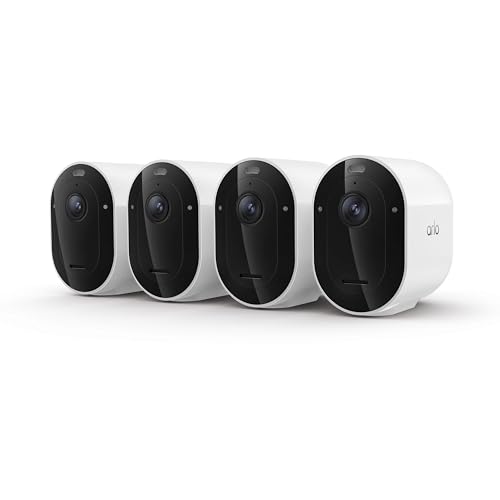
- Reliable 2K Protection for Everyday Security: Monitor doors, yards, and entry points with this...
- Arlo Secure Early Warning System Unlocks Advanced Features: Get 60-day video history, AI detection...
The Arlo Pro 6 is useful for rented offices, temporary business locations, and properties where permanent wiring is not practical. Its rechargeable battery and direct Wi-Fi connection provide greater placement flexibility than a conventional PoE system.
The camera offers 2K HDR video, a wide viewing angle, a built-in spotlight, color night vision, and two-way communication. An eligible Arlo Secure plan provides recorded cloud history and selected advanced detection features. Any included trial should not be confused with permanent free cloud recording.
Local backup may be available through a compatible Arlo SmartHub and storage device, which are normally purchased separately. Because the Pro 6 is battery-powered, it is more suitable for motion-triggered events than uninterrupted recording.
Key features:
- 2K HDR video
- Rechargeable battery
- Dual-band Wi-Fi
- Integrated spotlight and siren
- Two-way audio
- Optional SmartHub compatibility
Pros:
- Requires minimal building modification
- Provides flexible camera placement
- Easy to expand with more cameras
Cons:
- Recorded cloud history requires a plan
- Batteries need periodic charging
- SmartHub and local storage cost extra
Best for: Rented offices and temporary locations where wired installation is unsuitable.
Before selecting a cloud-oriented system, see our updated Ring vs Nest vs Arlo comparison for differences in storage, power, and ecosystem compatibility.
7. Ring Outdoor Cam Pro – Best for Existing Ring Users

- Capture it all with Retinal 4K video — See every detail of your home or business in full view...
- Zoom in 10x — Catch details even at a distance with up to 10x Enhanced Zoom.

The Ring Outdoor Cam Pro makes the most sense for a business already using Ring cameras, video doorbells, or Ring Alarm. It combines 4K video with radar-assisted 3D Motion Detection, helping users control where motion should trigger an alert.
Ring offers different power configurations, but the included power equipment depends on the selected package. Confirm whether the Amazon listing is for a battery, plug-in, or another compatible configuration.
Live View, motion notifications, and two-way communication can function without a subscription. Recorded video history and several advanced features require an eligible Ring plan after the trial ends. Businesses installing multiple Ring cameras should calculate the ongoing plan cost for the complete system.
Key features:
- 4K video
- 3D Motion Detection
- Bird’s Eye View
- Color night vision
- Two-way talk
- Ring Alarm and Alexa integration
Pros:
- Integrates with existing Ring products
- Offers advanced motion-zone controls
- Provides straightforward app management
Cons:
- Recorded history requires a subscription
- Not a conventional NVR system
- Dependable Wi-Fi coverage is necessary
Best for: Businesses already invested in Ring products.
How to Choose a Security Camera for a Small Business
Determine Whether You Need Continuous Recording
Checkout counters, entrances, inventory rooms, and sales floors usually benefit from continuous recording. A PoE NVR system is generally the most reliable option because its cameras receive constant power and use wired network connections.

Battery cameras are more flexible but normally record detected events instead of uninterrupted footage. They are better for locations where permanent wiring is impossible.
Count the Areas That Need Coverage
List every entrance, counter, office, stockroom, parking space, and delivery area before selecting a system. Four cameras may cover a small office, while a retail business could need six or eight separate views.
Choosing an NVR with unused channels makes future expansion easier. For specialized environments, our guide to the best security cameras for restaurants provides additional placement and system recommendations.
Compare Local and Cloud Storage
NVR systems store recordings locally and generally avoid monthly cloud-storage charges. When the hard drive becomes full, the recorder normally overwrites the oldest footage. Retention time depends on resolution, bitrate, frame rate, recording schedule, and camera count.

Cloud cameras simplify remote access but may involve ongoing subscription costs. Compare the plan cost for every required camera rather than looking only at a single-device price.
Consider Audio and Privacy Requirements
Cameras should be limited to legitimate security areas. They should not be placed in bathrooms, changing rooms, or other locations where employees or customers reasonably expect privacy.
Audio-recording, facial-recognition, and employee-notification requirements can vary by state and jurisdiction. Review applicable rules and provide notices when required.
Frequently Asked Questions
Is PoE better than Wi-Fi for a small business?
PoE is generally better for multiple cameras that need to record continuously. It provides stable power and network access through Ethernet. Wi-Fi cameras are easier to install but depend more heavily on signal quality and network capacity.
How many security cameras does a small business need?
Many small offices and stores begin with four cameras. Entrances, checkout counters, stockrooms, delivery areas, and parking spaces may require separate views. The building’s layout and security risks should determine the final number.
Is 4K necessary for business security?
4K can provide additional detail around entrances, payment areas, and inventory locations. However, it consumes more storage than lower resolutions. Lighting, camera placement, lens selection, and viewing angle are also important.
Can business security cameras work without a subscription?
Yes. PoE systems from Reolink, Lorex, ANNKE, and Swann can record locally without mandatory cloud storage. Eufy also supports local HomeBase storage. Arlo and Ring require eligible plans for recorded cloud-video history.
Can a business record its employees?
Video monitoring may be permitted in legitimate work areas, but privacy, notification, and audio-consent requirements vary. Businesses should verify relevant state and local regulations before recording employees or customers.
Final Verdict
The Reolink RLK8-800D4 is the strongest overall choice for many small businesses because it combines four 4K turret cameras, continuous local recording, and room for expansion. The Lorex N4K2SD-88WD-4 is better for larger properties requiring immediate eight-camera coverage, while the ANNKE H800 provides a more affordable entry into 4K PoE surveillance.
Choose the Swann AdvancedX for active-deterrence features or the eufyCam E330 Professional when Ethernet installation is difficult. The Arlo Pro 6 provides flexible battery-powered placement, while the Ring Outdoor Cam Pro makes the most sense for businesses already using Ring products.